
Ensuring a Safe Online Learning Environment
- Mr. Nimi Team

- Oct 25, 2025
- 4 min read
In today’s digital world, online education has become a vital part of children’s learning journey. It offers flexibility, access to diverse resources, and personalized experiences. However, with these benefits come challenges, especially when it comes to safety. Creating a secure online education environment is essential to protect children from risks and help them thrive. We are excited to share practical tips and insights to help you foster a safe and positive learning space for kids aged 6-12.
Why Secure Online Education Matters
Online education opens doors to endless opportunities. But it also exposes children to potential dangers like cyberbullying, inappropriate content, and privacy breaches. When we prioritize secure online education, we ensure that children can explore, learn, and grow without fear. This means setting up strong protections, teaching digital responsibility, and choosing trustworthy platforms.
A secure online education environment builds confidence. Kids feel safe to ask questions, participate actively, and express themselves. It also gives parents and educators peace of mind, knowing that children are shielded from harm while benefiting from technology.

How to Build a Secure Online Education Environment
Creating a secure online education space involves several key steps. Here’s how you can start:
1. Choose Trusted Platforms
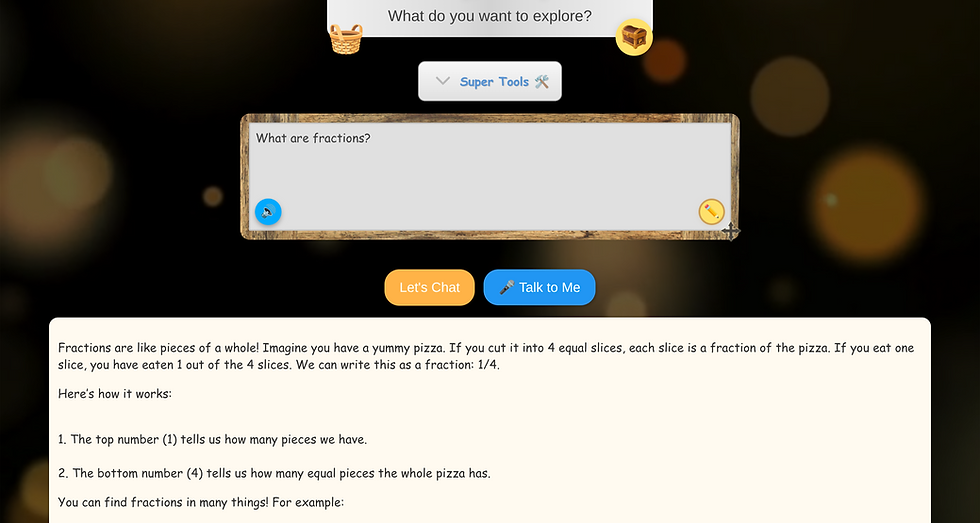
Select learning platforms that prioritize child safety. Look for features like content filtering, privacy controls, and moderation. Platforms that use AI-powered companions, like Mr. Nimi, offer personalized learning while keeping safety front and centre.
2. Set Clear Rules and Boundaries
Establish guidelines for online behaviour. Explain what is acceptable and what isn’t. Encourage children to speak up if they encounter anything uncomfortable or suspicious.
3. Use Strong Passwords and Privacy Settings
Help children create strong, unique passwords. Adjust privacy settings on all devices and apps to limit who can contact or view the child’s information.
4. Monitor and Communicate
Staying involved in your child’s online activities is crucial for their safety. Regularly check in, discuss their experiences, and address any concerns. Open communication builds trust and awareness.
To further enhance child protection online, consider using Mr. Nimi's prompt log. This resource keeps parents and teachers in the loop regarding children's online interactions and activities, fostering a collaborative approach to ensuring their safety. By utilizing these prompts, you can facilitate meaningful conversations about online behavior and potential risks, thereby empowering your child to navigate the digital world responsibly.
5. Educate About Digital Citizenship
Teach children about respecting others online, protecting personal information, and thinking critically about what they see and share.
What are 5 Ways to Stay Safe Online?
Staying safe online is a skill that children need to learn early. Here are five practical ways to help them:
Keep Personal Information Private
Never share full names, addresses, phone numbers, or school details with strangers online.
Recognize and Avoid Suspicious Links
Teach children not to click on unknown links or download files from untrusted sources.
Use Secure Connections
Always access learning platforms through secure Wi-Fi networks and avoid public Wi-Fi for sensitive activities.
Report Uncomfortable Situations
Urge children to inform a trusted adult if they witness bullying, encounter inappropriate content, or feel unsafe. Opt for platforms without social networking features for kids aged 6 to 12, such as Mr. Nimi.
Limit Screen Time and Take Breaks
Balance online learning with offline activities to maintain mental and physical health.
By practicing these habits, children develop a strong foundation for navigating the digital world safely.

The Role of Parents and Educators in Safe Online Learning
Parents and educators play a crucial role in shaping a secure online learning experience. Here’s how you can make a difference:
Be Proactive
Don’t wait for problems to arise. Set up safety measures before children start online learning.
Stay Informed
Keep up with the latest trends, tools, and threats in online education. This knowledge helps you guide children effectively.
Model Good Behaviour
Show children how to use technology responsibly by practicing what you preach.
Encourage Curiosity and Questions
Create an environment where children feel comfortable asking about anything they don’t understand or find troubling online.
Use Resources and Support
Leverage safe online learning platforms that offer tools and guidance for child safety in digital education.
Together, we can create a nurturing and secure space where children flourish.
Embracing Technology with Confidence and Safety
Technology is a powerful tool for education, but it must be embraced with care. By focusing on secure online education, we empower children to learn confidently and safely. Remember, safety is not a one-time setup but an ongoing commitment. Regularly review and update safety practices as technology evolves.
We encourage you to explore innovative solutions like AI-powered STEAM & Coding companions that adapt to each child’s needs while maintaining strict safety standards. These tools can transform learning into an engaging, personalized adventure without compromising security.
Let’s make the digital classroom a place where children feel protected, inspired, and ready to succeed.
By following these guidelines and staying vigilant, you can ensure that online education remains a positive and secure experience for every child. Together, we can build a future where technology and safety go hand in hand, unlocking the full potential of young learners.


Comments